Hello,
We’ve come a long way.
Many people have started building their stores already. And I’ve been getting the same question over and over:
“Why does ChatGPT write such short blog posts, even when I give it super detailed instructions?”
Great question.
Here’s the thing…
ChatGPT has limits.
There’s a limit to how much it can read from your prompt. And a limit to how much it can write back to you.
So when you try to give it everything in one go:
- Product links
- Blog title
- SEO keywords
- Writing style
- Tone of voice
It gets overwhelmed.
And gives you a short, boring blog post that barely says anything useful.
That’s not your fault.
But if you want better results, longer posts, helpful content, and real traffic from Google, you need to use AI a little differently.
You need a smarter method.
One that works with ChatGPT’s limits instead of fighting them.
Let me show you how I do it, step by step.
Buckle up. This is where it gets fun.
Why One-Shot Prompts Fail (and What to Do Instead)
Here’s the big problem with one-shot prompts:
ChatGPT has limits.
It can only handle so much info at once… And it can only give back a limited number of words.
So when you throw everything in at once:
“Write a blog post to promote these products…”
Then add product links, keywords, tone, SEO tips, writing style, etc…
The result is almost always:
- Too short
- Too generic
- Missing key details
- Not good enough for SEO
One-shot = meh.
It might give you 400–600 words. Maybe 800 if you’re lucky.
But Google wants real content. And real people do too.
You need 2,000+ words to compete. More than that…your post has to feel helpful.
Not robotic. Not rushed.
That’s why we break it down.
Just like coding a big feature… You don’t write it all in one go.
You split it into smaller pieces:
✅ Write the intro first ✅ Then a quick TLDR for busy readers ✅ Then the product section ✅ Then comparisons ✅ Then summary ✅ Then the call-to-action
One prompt at a time.
Each section gets your full focus. And ChatGPT’s full attention.
End result?
✅ A longer blog post ✅ Better SEO ✅ More clicks ✅ More sales
And the post actually feels good to read.
How to Break Down Your Blog Post
Let’s say you want to write a post like:
“Top 5 Funny Mugs for Programmers”
Don’t ask ChatGPT to write the whole thing in one go.
Instead, break it down into small parts.
That’s the trick.
**Note: This structure is just an example.** You can ask ChatGPT to suggest a custom structure too.
Start with a prompt like this:
Write a blog post to promote these products: [Insert product URLs]
I want the content to follow this structure:
- Introduction
- TLDR
- Product Section
- Comparison Table
- Summary
- Call to Action
I’ll give you the instructions for each part. You write one part at a time.
Don’t start writing yet. Check the instructions first and let me know if you have any questions or suggestions.
Cool, right?
We don’t let ChatGPT write the content right away. We give it a plan first. Let it understand what we want.
Chat with it. Make sure it gets the assignment.
Then, start with each part.
1. Introduction
**Prompt: **Write an introduction for this blog post. [Add details here]
2. TLDR
**Prompt: **Write a quick summary of all products. [Add details here] [Add product links here]
3. Product Section
**Prompt: **Write 2–3 paragraphs to explain this product: [Product link]. [Add details here]
Tip: Write one product at a time. This gives you better details than lumping all products together in one prompt.
4. Comparison Table
**Prompt: **Create a table comparing all products. [Add details here]
5. Summary
**Prompt: **Write a quick summary to help readers pick the right product for them. [Add details here]
6. Call to Action (CTA)
**Prompt: **Write a short call to action that encourages the reader to pick their favorite product and grab it now. [Add details here]
That’s it.
You now have a full blog post, step by step.
✅ Each part is clear ✅ Each part is focused ✅ And way more helpful than one generic blob of text
This is how you win with AI.
One simple step at a time.
Putting It All Together
Once ChatGPT gives you each section…
Don’t just copy and paste.
Take a moment to read through everything.
Tweak it.
Fix the flow.
Make sure it sounds like you, and that the info is correct.
Even the best AI still needs a little human touch.
Here’s what I do:
- **Intro: **Paste it in. Read it out loud. Does it feel natural?
- TLDR: Quick check, does it give a fast overview of all products? Is it easy to skim?
- Product Sections: Double-check the links, product names, and key points. Do they match your store?
- Comparison Table: Make sure it’s clean, simple, and easy to read.
- Summary: Wrap things up nicely. Keep it short and helpful.
- Call to Action: Make it friendly, like you’re talking to a friend. Don’t be pushy.
If any part feels a little “off,” go back to ChatGPT and ask:
“Can you rewrite this part to sound more casual?” “Make this section easier to understand.” “Add more details about X.”
Let AI help polish it up.
When everything feels smooth, stitch all the sections together.
Boom. Now you’ve got a blog post that:
✅ Is 2,000+ words
✅ Has a clear structure (with proper <h1>, <h2>, etc.)
✅ Targets buyer-intent keywords
✅ Has real value (Google and ChatGPT love that)
But hold on…we’re not done yet.
Let’s polish it even more:
Ask ChatGPT to write 10 blog title ideas: Pick your favorite (or tweak one a little)
Ask it to write:
- A meta title (the headline Google shows)
- A meta description (the short preview text)
- A list of SEO tags or keywords
Want a cover image?
Ask ChatGPT to make one.
Prompt example:
Create an image of a Christmas-themed coffee mug for lawyers, cute illustration style, white background, cozy holiday vibe.
Use that image in your blog post and when sharing on social media.
That’s it.
Click publish.
Your post is live, and it’s something you built.
With AI. But done the smart way.
This Is How BlogneticAI Works
Everything I just showed you?
That’s exactly how I programmed BlogneticAI to write blog posts.
No shortcuts. No one-shot junk. Just solid content — the kind Google (and buyers) love.
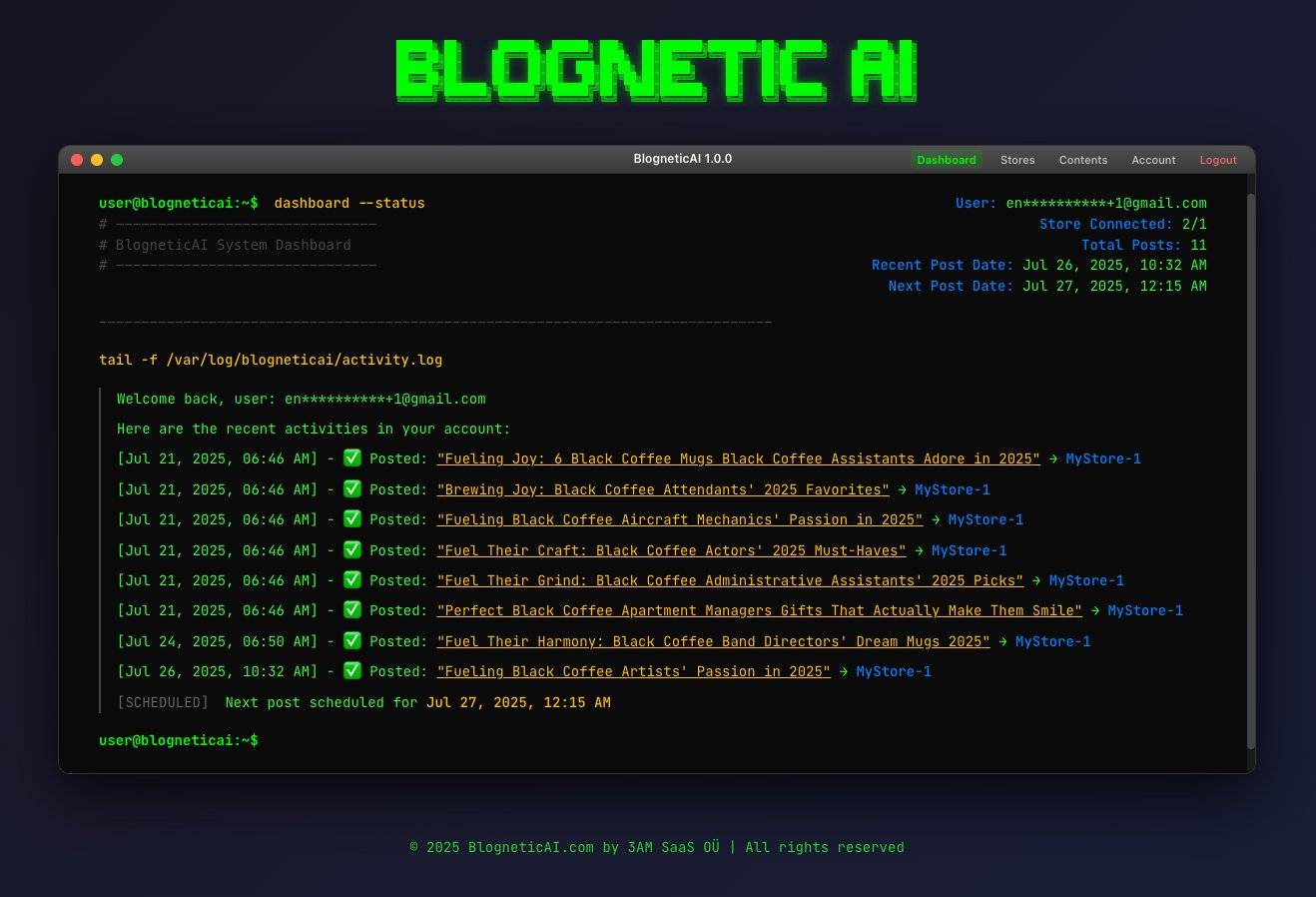
Here’s what BlogneticAI does:
✅ Pulls your product links directly from your Shopify store ✅ Breaks the article into smart sections ✅ Writes each part with clean structure and SEO-friendly language ✅ Adds internal links to your other products ✅ Generates a lifestyle cover image to make your post stand out ✅ Creates meta title, meta description, and SEO tags ✅ Then stitches it all together, ready to publish
BlogneticAI will post one article every two days *(I tested daily posting, but slower is actually better for SEO.)*
It’s like having a full-time content writer… who never runs out of ideas, and works for you 24/7.
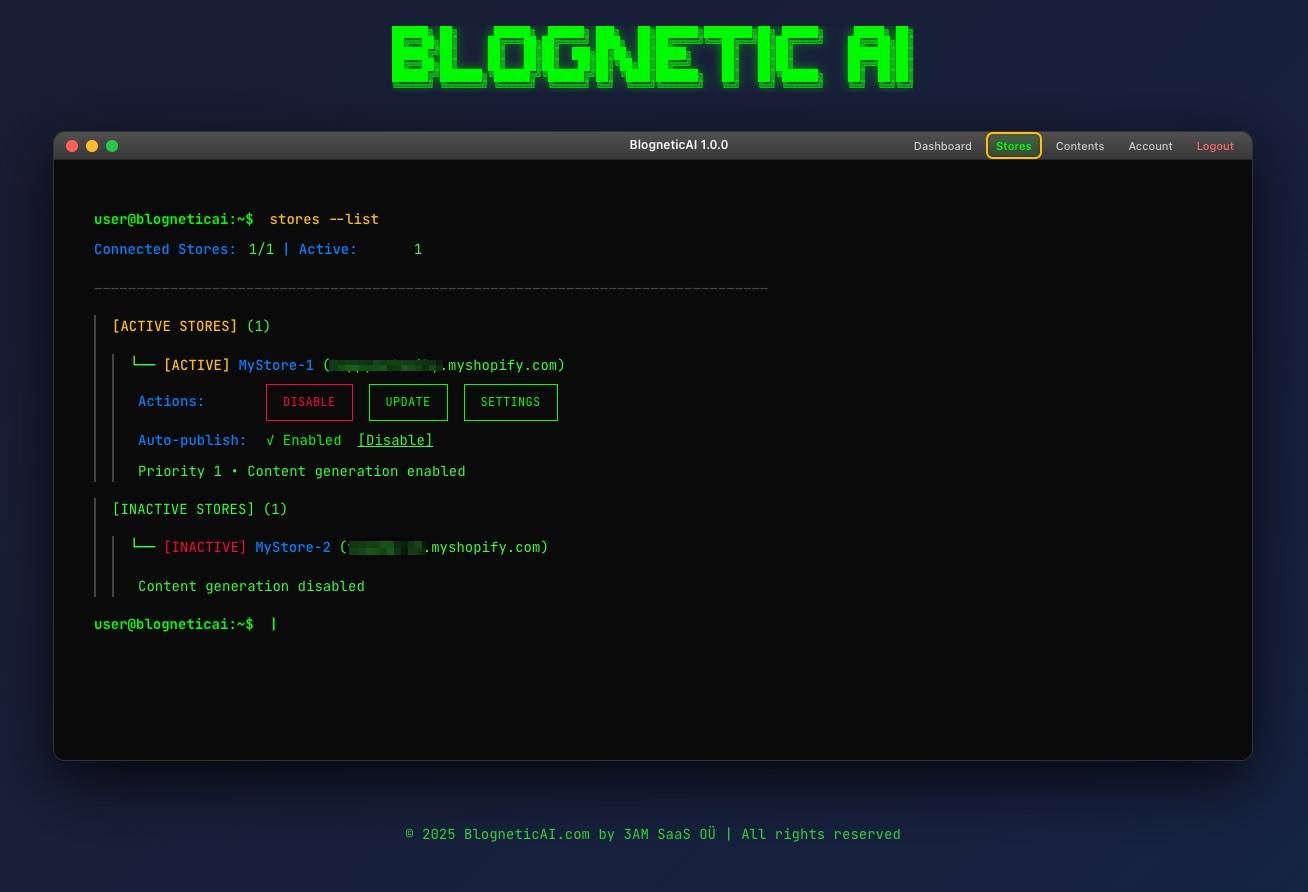
Here’s a sneak peek from inside the system:


Pretty cool, right?
The goal is to make it feel like you’ve got a little robot quietly working in the background, doing all the heavy lifting for you.
You just connect your Shopify store… and let it handle the rest.
Let’s grow your store, one blog post at a time.
Talk soon,
—Bank K.
