Hello,
Sorry this episode took a little longer to land in your inbox.
I know a lot of you have been waiting. And I wanted to make it worth your time.
Because, this part — smart collections — is everything. It’s where your traffic engine really begins to hum.
Why the delay?
I didn’t just want to tell you what to do… I wanted to build a tool that actually does it for you.
Let me explain.
If you’ve been following this series, you already know the plan:
We’re creating a store filled with long-tail keyword pages like:
- White Coffee Mugs for Engineers
- Ornaments for Teachers
- Gifts for Shiba Inu Lovers
- Bracelets for Dads
Each of these is a smart collection — and each one is something real people are actually typing into Google.
We’re not chasing trends. We’re planting SEO seeds that grow with time.
The problem? Creating smart collections manually 🥵
We’re targeting around 500+ niches across 9 product types. That’s over 4,000 smart collections in total.
You can check the actual product + niche list here
→ PODtomatic Niches and Products
Now, if you’re a coder like me, this is easy. I can write a script to generate 4,000 collections in minutes.
But after chatting with many of you, I realized…
Even creating just 100 collections manually feels brutal. Doing it right? Even more time-consuming.
So I spent days building a tool to help.
Not just for me. But for all of us — no coding needed.
But first — why do these smart collections even matter?
We’re using a method called programmatic SEO (pSEO). That means we create pages using a pattern.
Examples:
- [yourstore_domain]/collections/white-coffee-mugs-for-engineers
- [yourstore_domain]/collections/ornaments-for-teachers
- [yourstore_domain]/collections/gifts-for-siamese-cat-lovers
Each collection has 2 conditions, like:
- One for the product (e.g., “White Coffee Mug”)
- One for the niche (e.g., “Engineer”)
Shopify then auto-fills the collection with matching products.
Now here’s the best part…
Any time a new product is added — that collection page updates.
Google loves pages that keep changing. It keeps coming back. Again and again.
Inside each smart collection:
- A long-tail keyword collection name (we use it as the title)
- An AI-written description (at the top of the page)
- An AI-written meta description (for Google search)
Every little word helps tell Google (and AI tools like ChatGPT) what your page is about.
So when someone searches “Gift for CPA” or “White Coffee Mugs for Electricians”…
You have a page that shows up.
But how does Google find these pages?
Shopify lets you create thousands of collections.
That’s great.
But if you don’t link to them from anywhere… Google won’t find them for a long time (maybe months).
Putting 4,000 links in your site menu? Yeah, don’t do that 😅
So here’s the fix:
We create hub pages that group collection links together.
Examples:
- Gifts by Profession → links to all your job-related collections
- Gifts by Dog Breed → links to each breed
- Gifts by Cat Breed → same
- Gifts by Hobby → links like hiking, biking, chess
- Gifts by State → e.g., “Ornaments for Texans” or “Mugs for Californians”
Like this:
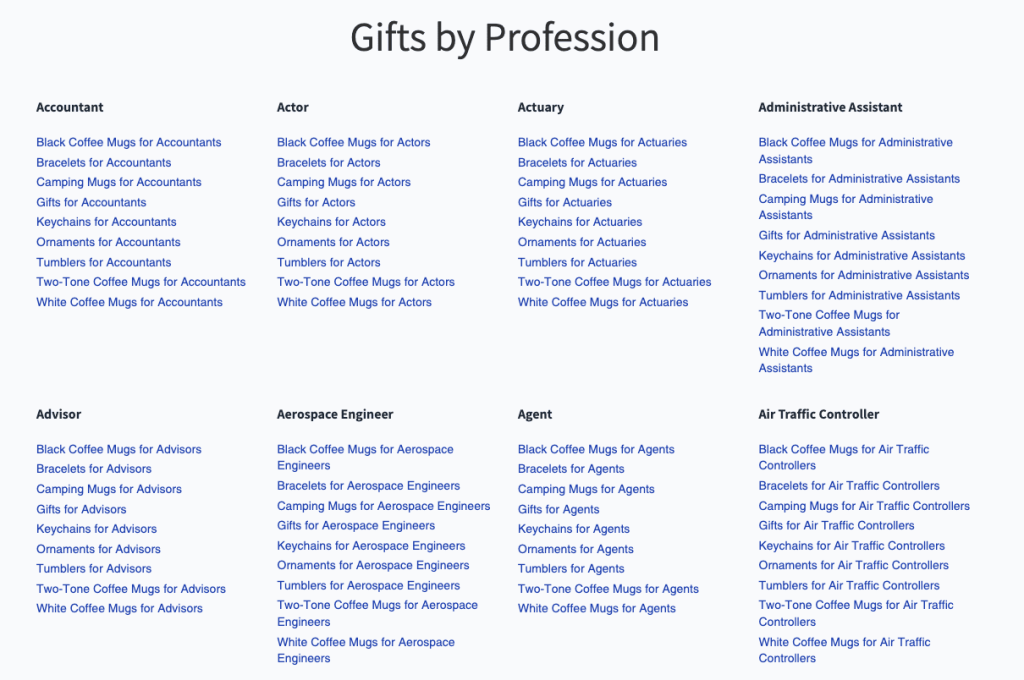
Then you link these hub pages to your main menu.
Now Google comes in
→ clicks a hub page → sees all the collection links → crawls everything.
Only 3 clicks deep. Very crawlable. Very SEO-friendly.
Want to do it manually?
Here’s the process:
- Create a smart collection
- Name it properly (pluralized, natural sounding)
- Add two tag conditions
- Write a description + meta using AI
- Repeat… 4,000+ times 😅
You can do this.
But if you’d rather save 100+ hours…
I built a tool to do it for you.
You can check it out here → https://smart-collections-seven.vercel.app/
With this tool, you can:
- Connect your Shopify store
- Click “Create Collections”
- Generates 4,473 smart collections
- Uses AI to write titles, descriptions, and meta
- Gives you ready-to-go hub page links (HTML format)
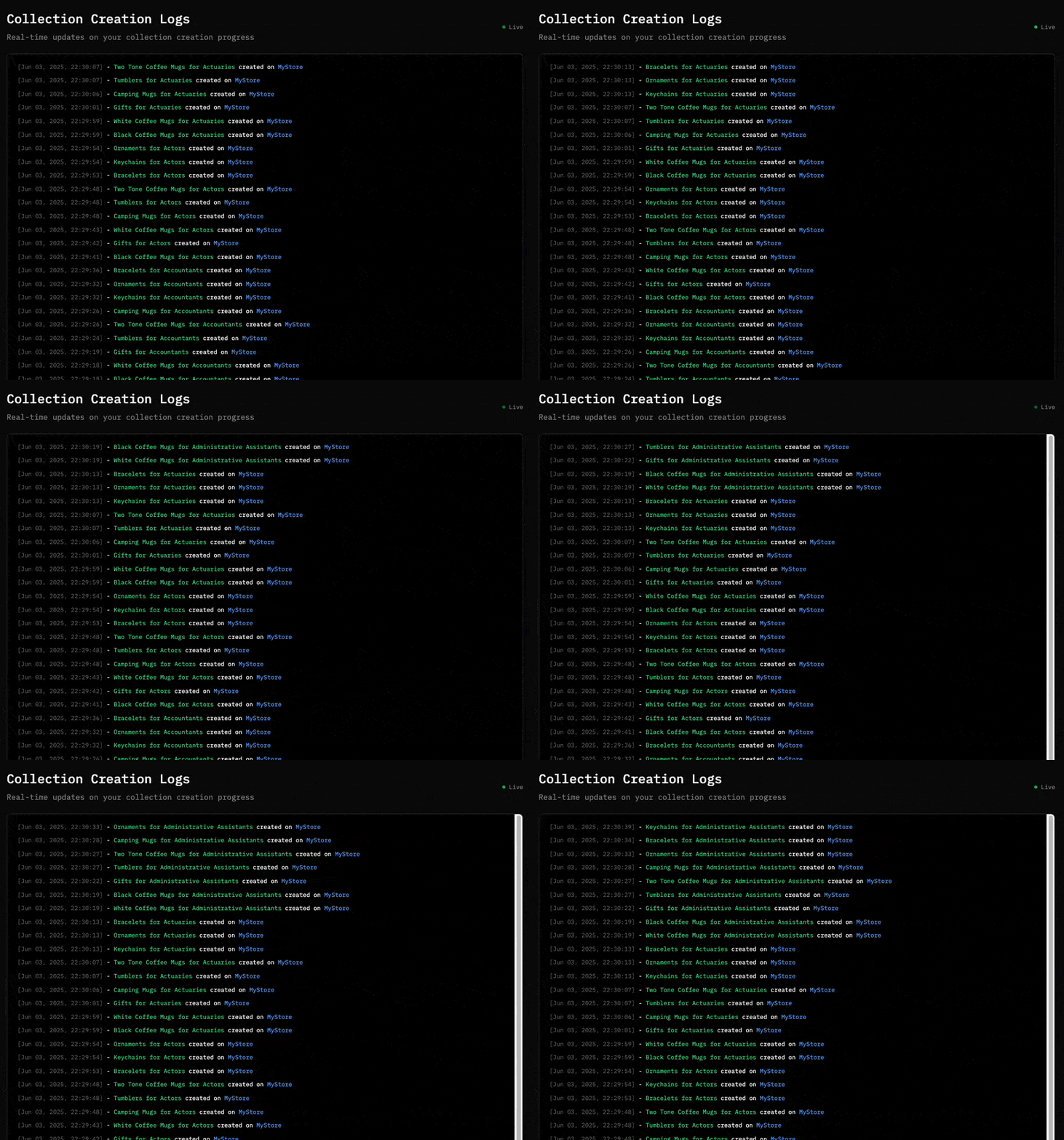
Let it run in the background for 4–5 hours. You don’t need to sit there. It just works.
Then:
- Create hub pages in Shopify
- Paste the HTML collection links
- Add hub pages to your store menu
Done.
Way faster. Way cleaner. And totally SEO-optimized.
Is there a cost?
Yes — a one-time $20 per store. You only pay when you click “Create Collections.”
That covers:
- The AI cost (writing 4,000+ descriptions + meta)
- Server time to do all the heavy lifting
No recurring fees. Use it once per store. That’s it.
Coming Up Next…
In EP.3, I’ll show you how to launch new products every day to your Shopify store — automatically — using PODtomatic.
When new products are added, your collections update themselves…
Your SEO gets stronger…
And your traffic engine keeps running on autopilot.
Talk soon,
—Bank K.
PS. If you made it to the end, I’d love to hear from you. Just hit reply and say “I’m ready for the next step!”
Even a short reply helps a ton — it shows me you’re taking action, and it gives me the fuel to keep writing the next episode.
Let’s build this together.
