
Hello,
First of all… You guys are doing awesome.
I’ve been getting so many emails lately.
Some of you already finished setting up your stores. Some of you already created thousands of smart collections. Some of you are building your hub pages right now.
It’s been amazing to see. This is why I’m writing this series. To help you build something real.
The Most Common Question I Keep Getting…
Many people ask:
“How do I create the hub pages and add them to my menu?”
Let me walk you through it step-by-step:
Step 1: Create a New Page in Shopify
Inside Shopify, go to: Online Store > Pages > Add Page
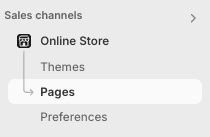
Step 2: View Collection Links from the Smart Collection Tool
In the Smart Collection tool (after your collections are created), click: View Collection Links
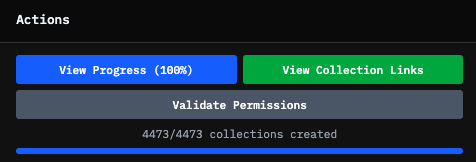
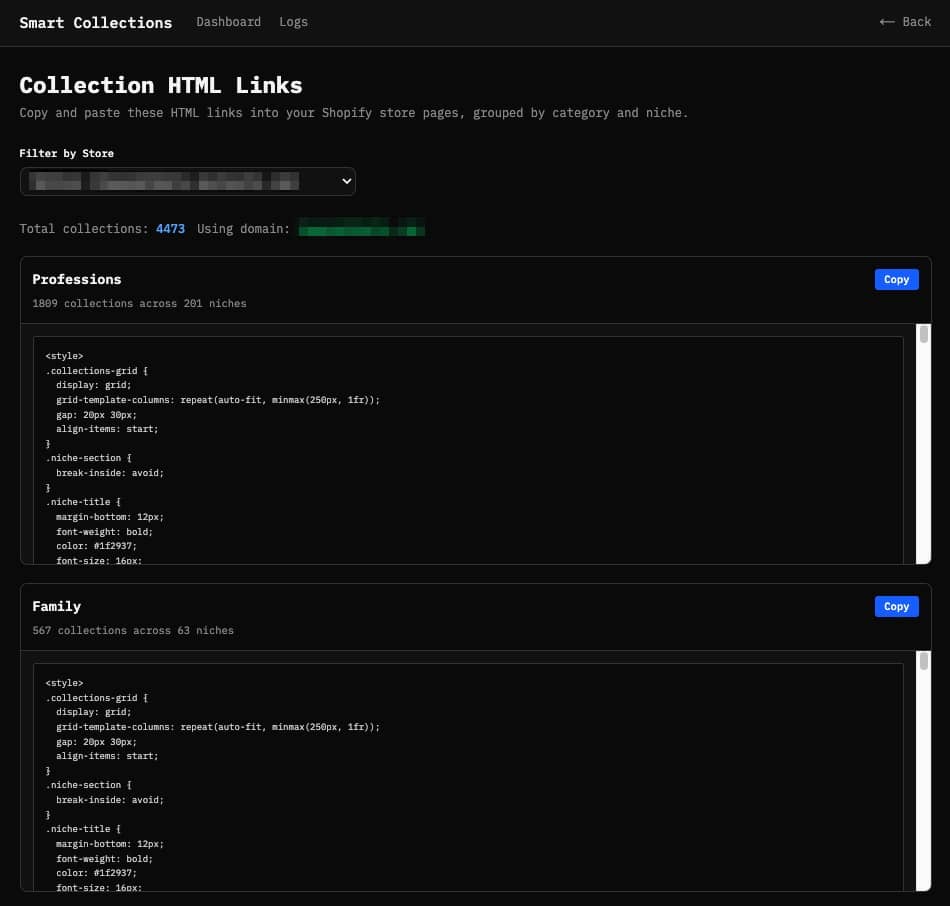
Step 3: Copy the HTML Code Blocks
You’ll see 6 HTML code blocks:
Step 4: Create One Page for Each Category
Example:
Create a page called “Gifts by Profession” Then paste the HTML code from the Profession block.
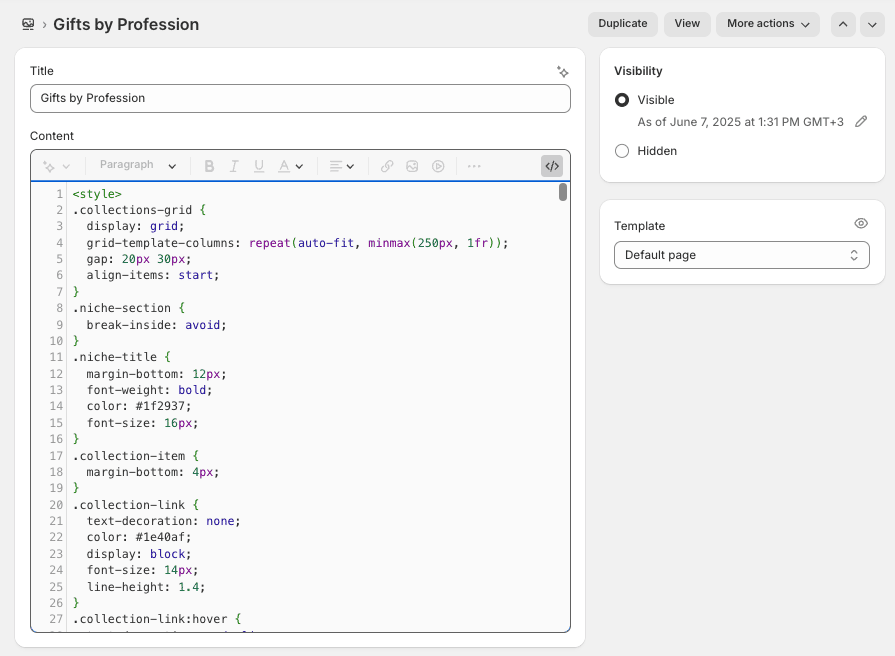
Do the same for all categories.
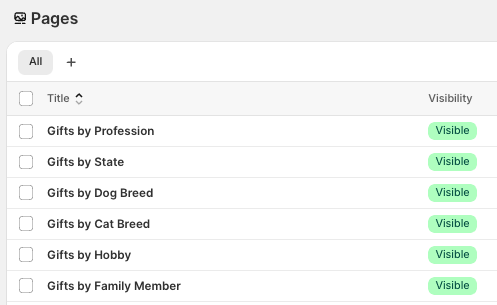
Important: Make sure you switch to HTML mode before you paste.
Step 5: Go to Your Store Menu
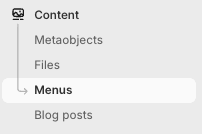
After you create the 6 pages, go to: Content > Menus > Main Menu
Step 6: Add Hub Pages to Your Menu
Add these hub pages to your store menu.
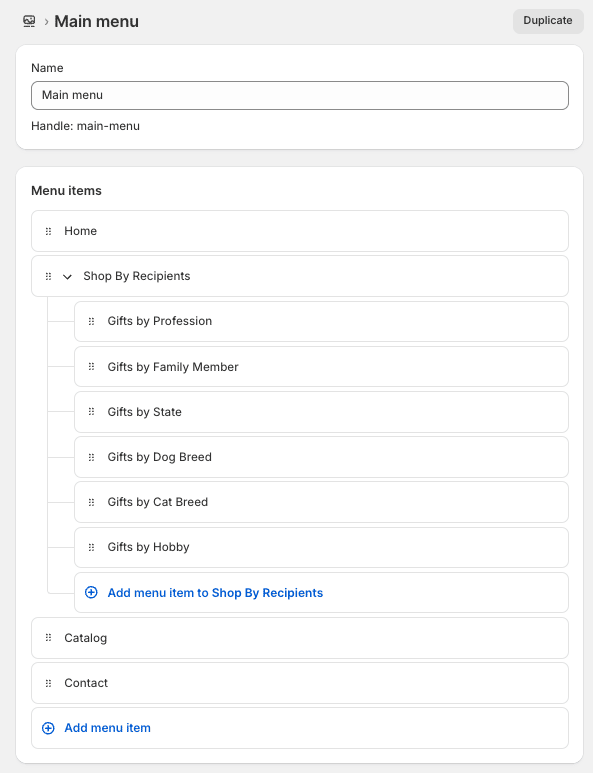
You can create a submenu like:
Shop by Recipients
→ Gifts by Profession → Gifts by Hobby → Gifts by Dog Breed → Gifts by Cat Breed → Gifts by States → Gifts by Family
✅ Your store menu stays clean. ✅ Google can find all your collections easily. ✅ And your traffic engine is now ready to go.
The Engine is Built.
Now we add fuel 🔥
Creating the store and collections was the setup.
Now we need products.
Because products are your content.
→ More products → More keywords → More pages → More updates → More chances for Google to find you.
And because you’ve already built your smart collections… Every product you add will automatically drop into the right collection.
Google keeps coming back. More crawling → more ranking → more free traffic.
This is why adding products regularly is so important.
But Adding Products Manually? 🥵
It takes forever.
You need designs. You need product titles, descriptions, tags, pricing. Then you need to upload everything into Shopify.
Not fun.
That’s why I built PODtomatic.
At first, PODtomatic was only for Amazon. But Amazon keeps getting more annoying (you know what I mean).
So I added Shopify and Walmart too.
But This PTE Series is All About Shopify.
Many of you told me:
“Bank, I just want to focus on building my own Shopify store. Can you offer a smaller plan?”
So my team and I created something special for you:
PODtomatic Shopify Plan 🚀
We made this smaller plan so more people can afford to use it.
It connects to one store (Shopify). No extra stuff you don’t need. Just simple. And affordable.
Here’s what you get:
- Connect to your Shopify store
- Upload 200 products across many niches
- Handles product creation automatically
- Syncs products into the right smart collections
- Handles orders and fulfillment (while subscription is active)
The Pricing (Special Deal for You)
Normally, the price for PODtomatic Shopify plan is: $49/month or $497/year
👉 But for everyone following this POD Traffic Engine Series… I want to reward action-takers:
✅ Monthly plan: $49 $39/month
✅ Yearly plan: $497 $297/year (That’s only $24.75/month 🔥)
You save $200 instantly.
Nobody will create and upload 200 products a day for you, handle orders, and automate fulfillment — for just $24.75/month 😄
This yearly deal is something we’ve never offered before. Massive savings if you’re serious about building for Q4.
You can sign up here:
But This Offer Won’t Last Long.
Once this POD Traffic Engine Series wraps up (in 2–3 weeks), this offer goes away.
Why?
Because I want to reward the people who are taking action right now — not the ones who wait.
Quick Heads-Up:
You can cancel anytime.
If you cancel and your account expires:
✅ Your products stay live on your store. ✅ The only thing that stops is the automatic fulfillment.
(You’ll just fulfill orders manually if you want to keep selling.)
Timing Matters Right Now…
Q4 is coming fast.
And here’s the truth:
Google won’t index your pages overnight. It takes time for your products and collections to show up in search. The sooner you start, the sooner Google starts paying attention.
Your traffic engine is ready.
Now’s the time to add fuel and let it build momentum — before the holiday season hits full speed.
Coming Up in Episode 4…
Next episode, we’ll talk about how to build free traffic streams into your store.
Because once your store is loaded with products, that’s when your SEO traffic engine starts compounding.
Talk soon,
Bank K.
P.S. If you’re ready for this step — reply and say:
“I’m ready to bring traffic to my store!”
Every reply keeps me fueled up to keep writing the next episode.
We’re in this together 💪
